Bricks is a popular visual site builder theme for WordPress. With the integration of The Events Calendar Shortcode & Block plugin, you can effectively promote your events using Bricks. Using our native Bricks element, you can easily add a list of upcoming events to your site wherever you need it!
Step 0: Install Bricks
If you don’t already have the Bricks theme installed and running on your site, just go to Appearance > Themes and upload the zip file from Bricks. Activate the theme.
Step 1: Install and Activate The Events Calendar Shortcode & Block Plugin
To begin, you need to install The Events Calendar Shortcode & Block plugin. Once downloaded, navigate to your WordPress dashboard, and go to Plugins > Add New. Upload the plugin file and click on the Activate button to activate the plugin on your website.
Step 2: Create or Edit a Page with Bricks
To add a list of events, you can either edit an existing page, or create a new Page and then click Edit with Bricks.
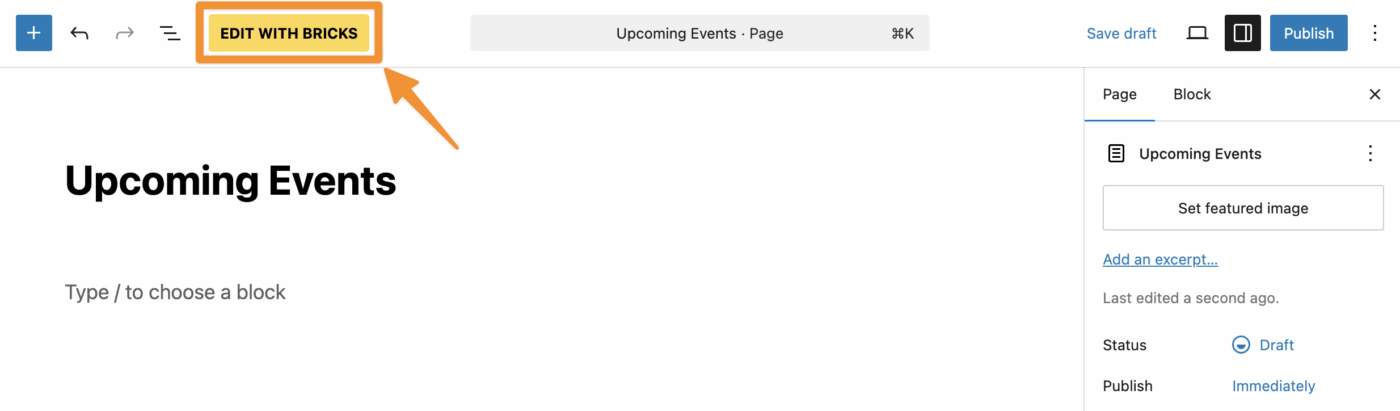
Step 3: Add The Events Calendar Shortcode & Block Element
Within the Bricks page editor, on the left sidebar, you will find all the Elements or widgets you can add to your page. Here you can scroll down to the “General” section and find our “The Events Calendar Shortcode & Block”, or search for it using the search box at the top.
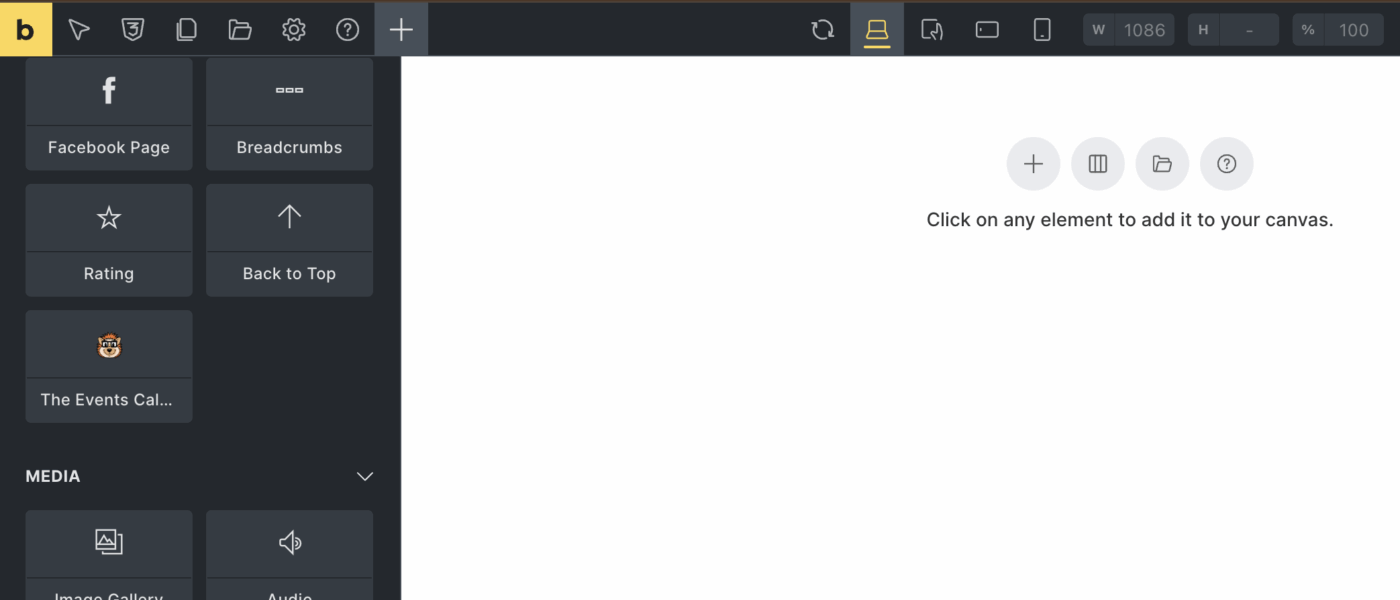
Click on icon for “The Events Calendar Shortcode & Block” to add it to your page.
Step 4: Select Your Options
Now that you have the listing of upcoming events on the page, you can customize the options. Change the number of events that are displayed, whether or not to show a thumbnail or the venue, and more.
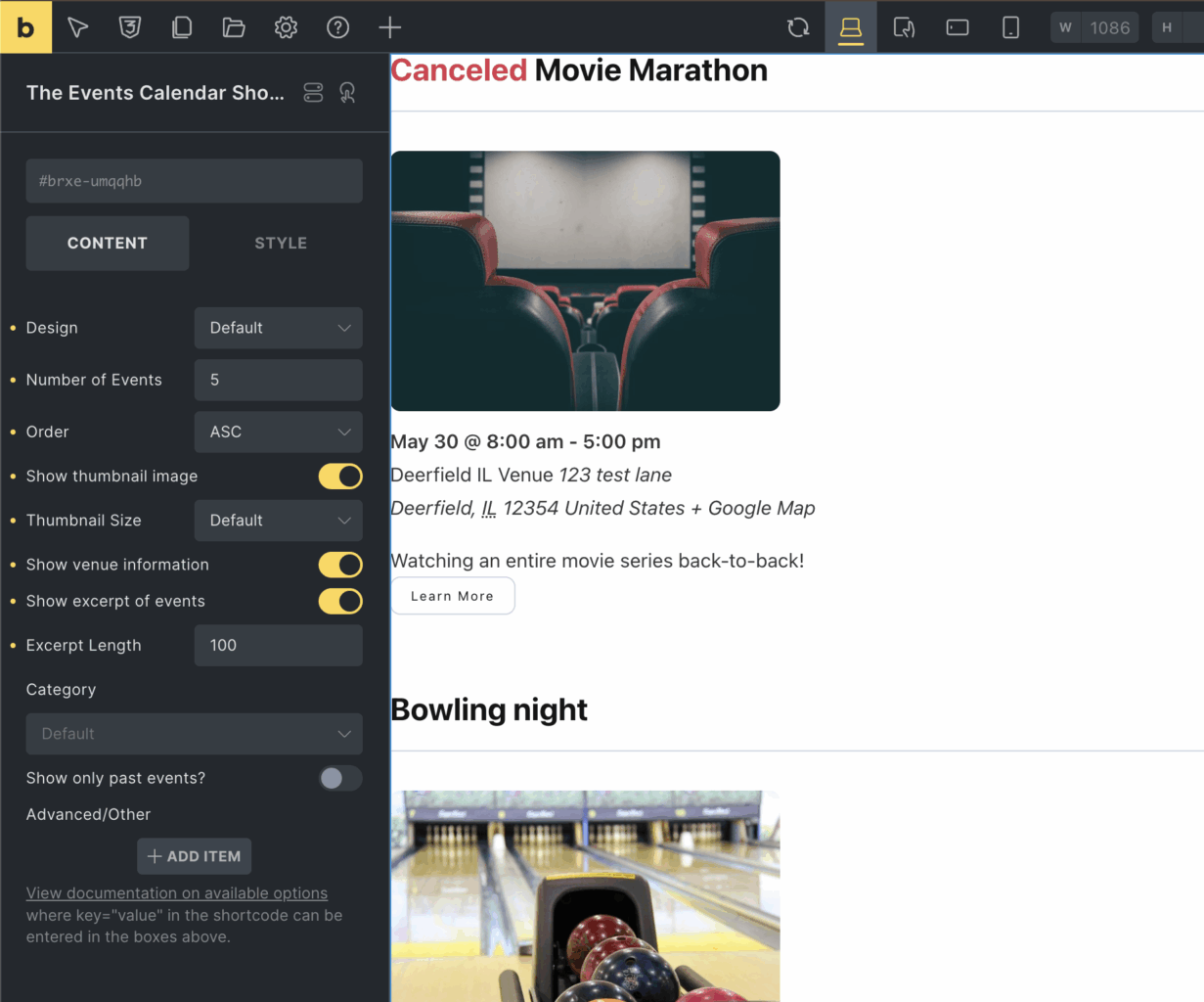
Step 5: Publish Your Page
Finally, click the Save button (top-right corner) to save your changes. That’s it! Now visitors can see a listing of your events.
Conclusion
By using The Events Calendar Shortcode & Block plugin along with the Bricks visual site building theme, you can easily and visually add event listings throughout your site where your visitors will see them. There’s a number of designs and options you can choose from, such as adding a filter bar or pagination. Try it today and make it easy for your visitors to discover and attend your events!
