If you run events in Sugar Calendar, you’ve probably been rebuilding that same events list in Mailchimp (or MailPoet, or FluentCRM) every week. Good news: Event Calendar Newsletter now supports Sugar Calendar both Lite and Pro.
That means you can pull upcoming events straight from Sugar Calendar into a newsletter-friendly layout, then drop them into the email tool you already use. Same Saved Templates, same date ranges, same automations as the other calendars we support.
In this post, we’ll walk through how to generate the list, how to filter it, and how to get it into a campaign without copy-pasting the events content every week (unless you want to of course!).
What you need
- Event Calendar Newsletter Pro 3.8.0 or later
- Sugar Calendar Lite or Pro installed and activated
- At least one upcoming event
Already a customer? Update to the latest version. Sugar Calendar will show up in the calendar dropdown as soon as it’s active on the site.
Step 1: Generate your events
- In WordPress, go to Event Calendar Newsletter
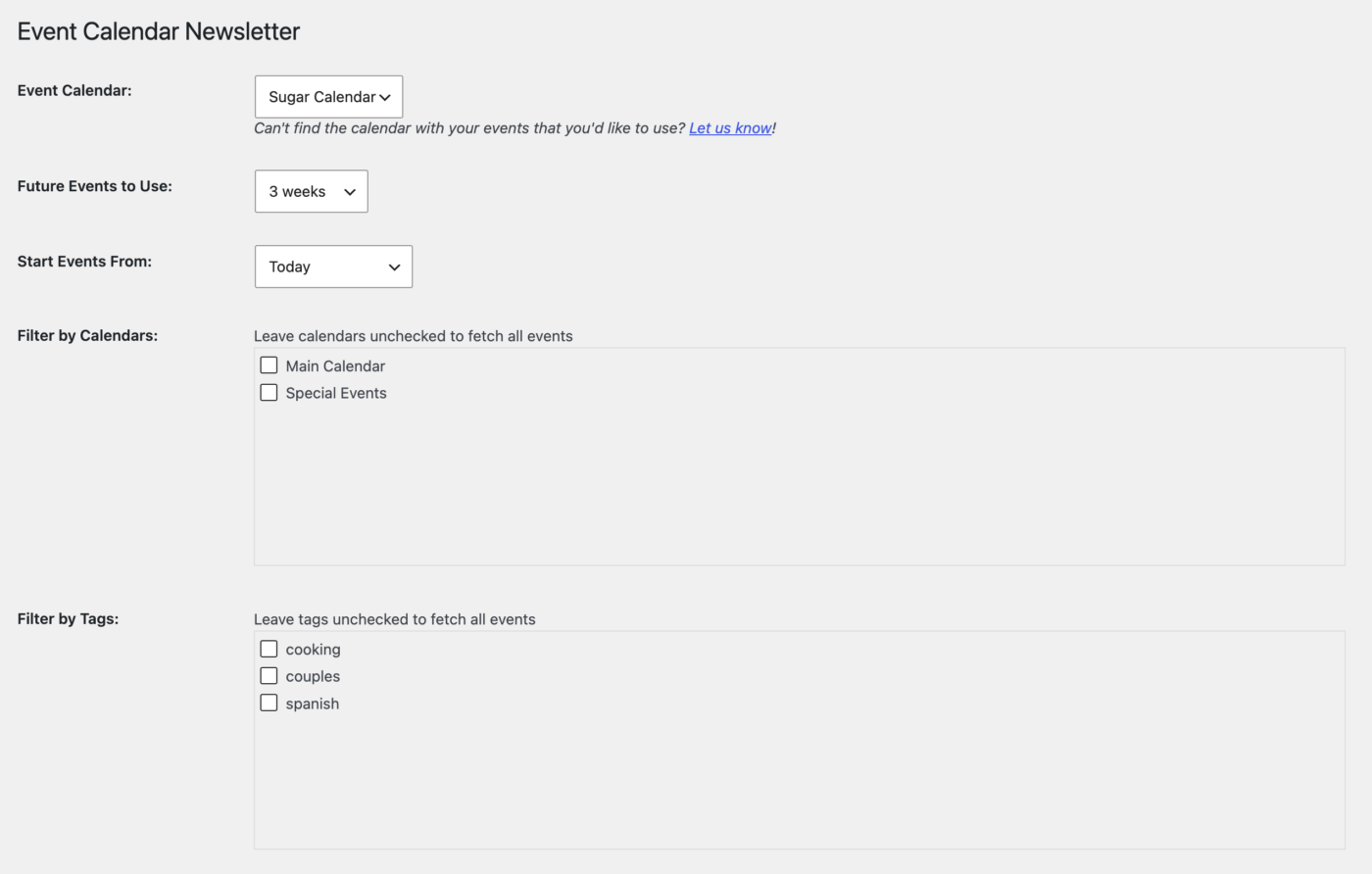
- Choose Sugar Calendar from the calendar dropdown
- Pick the date range (next week, next 14 days, a custom range — whatever you send)
- Design the output the way you want it to appear in the email
- Click Generate Newsletter Formatted Events
You’ll get a formatted list you can copy into any email tool. That’s the whole product in one click, and it’s enough if you send newsletters by hand.
What gets pulled from Sugar Calendar
You can include the usual event details: title, start/end date and time, all-day flag, description, excerpt, featured image, link, calendar (category), tags, colour, and recurrence.
Location depends on which Sugar Calendar you run:
- Lite: the free-text location field
- Pro: structured venue data when a venue is attached — name, address, city, state, zip, country, phone, and website
Recurring events are expanded across the date range you selected, so a weekly class shows up as the occurrences that actually fall in that window.
Step 2: Filter by calendar or tag (optional)
Leave the checklists empty and you’ll get every upcoming event in range. If you only want a subset:
- Filter by Calendars — Sugar Calendar’s calendars (the ones you’d normally colour-code or split on the front end)
- Filter by Tags — Sugar Calendar Pro tags, if you use them
A common setup is one template for “everything coming up,” plus extra templates per calendar so different lists get different digests (workshops vs. concerts, campus A vs. campus B, and so on).
Tip: unchecked = all events. You don’t have to pick anything.
Step 3: Save it as a template (if you want automation)
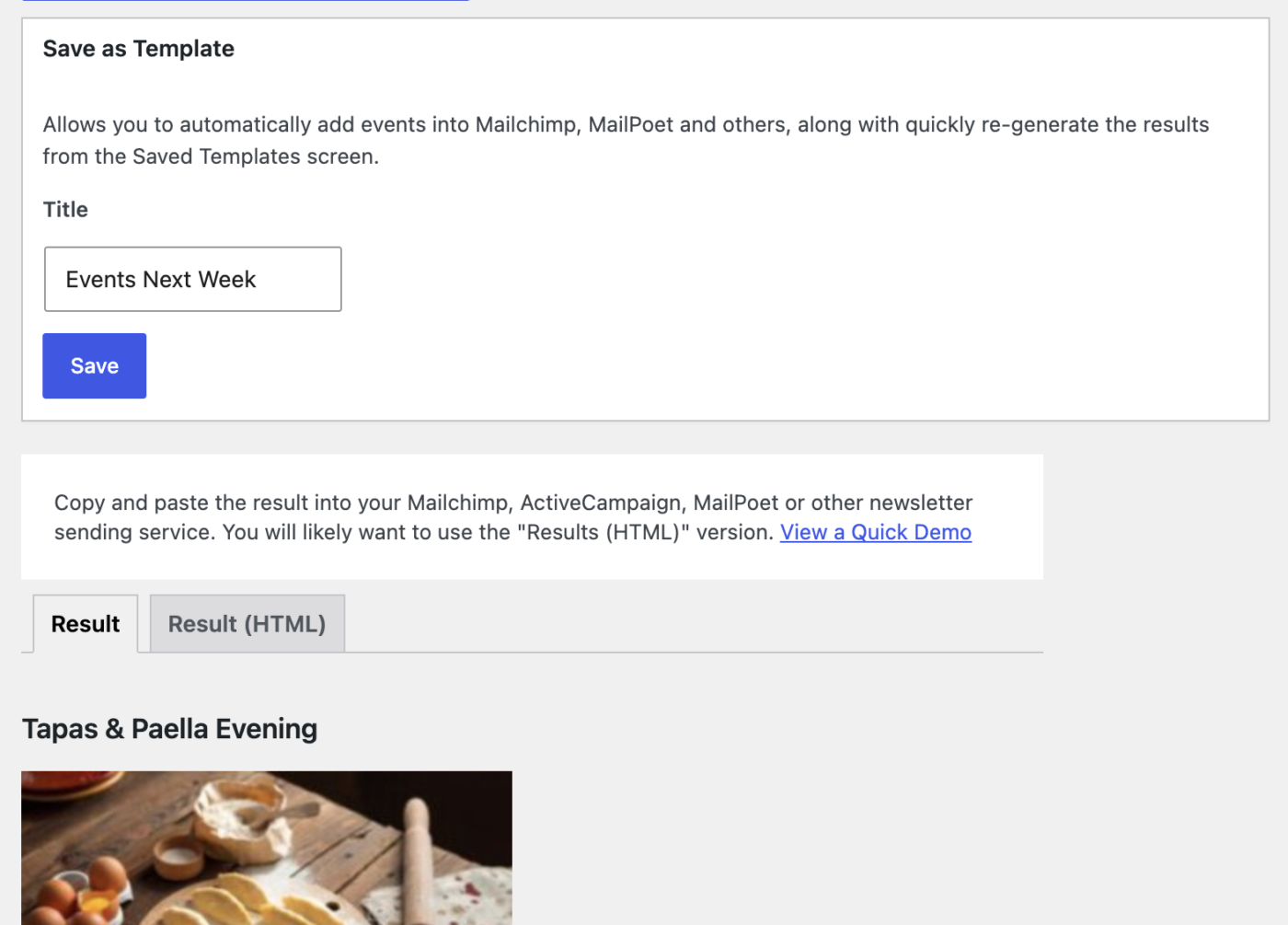
A Saved Template stores the calendar, date range, layout, and filters so you don’t rebuild this every week.
- After generating, use Save As Template
- Give it a name you’ll recognize later (“Next 14 days — all calendars” is fine)
- Save
You can create as many as you like. This is also the first step for automatically inserting events into Mailchimp, MailPoet, FluentCRM, and RSS campaigns.
Step 4: Get it into the newsletter
Copy and paste
Generate, copy the output, paste into Mailchimp / whatever. Done. Fine for one-offs.
Automatic (the better default)
Use a Saved Template with the integration you already have:
- Mailchimp — merge tag inside a campaign, or an RSS campaign that sends daily/weekly/monthly
- MailPoet — the
[custom:ecn-ID]shortcode - FluentCRM — the
{{ecn.ID}}Smart Code (campaigns, sequences, recurring emails) - Anyone else with RSS (such as Brevo) — point the campaign at the Saved Template feed
When the email goes out, Event Calendar Newsletter fetches the current matching Sugar Calendar events and inserts the formatted events. You don’t have to touch the campaign unless you want to change the design.
Wrapping up
Sugar Calendar is now a first-class source in Event Calendar Newsletter Pro: Lite and Pro events, calendar and tag filters, support for venues and recurring events (with Sugar Calendar Pro), and the same Mailchimp / MailPoet / FluentCRM automations as everyone else.
If you don’t have Event Calendar Newsletter Pro yet, grab it here and you’ll be generating a list in a few minutes. Already a customer? Update to 3.8.0 (or later), pick Sugar Calendar, and generate.
Questions, or using a calendar we don’t support yet? Get in touch — happy to help.
